
How to Trade Futures on Bitbase (Beginner’s Guide)


Bitbase is the professional digital asset trading platform offering spot trading, USDT-M futures, TradFi products, and fiat on-ramping. When you trade a perpetual futures contract, you are opening a leveraged position on its price direction, rather than buying the underlying asset.
Bitbase has already gained a reputation for safety, uptime, trust, and ease of use, and our guide covers everything you need to set up and place your first futures trade on Bitbase, including account prerequisites, fund transfers, order placement on both the app and the website, and the tools available once a position is open
About Futures Trading on Bitbase
Bitbase’s platform’s futures trading supports USDT/USDC Margined contracts. You can buy (go long) and sell (go short) Bitcoin, Ethereum, or other cryptocurrencies. Perpetual contracts have no fixed expiry date, meaning positions can be held indefinitely as long as margin requirements are met.
A funding rate applies periodically between long and short positions to keep contract prices tethered to the spot market. In our full Bitbase review, we found the platform to be an excellent choice for active traders, with a competitive fee structure, a matching engine with 99.99% uptime and sub-10ms order execution, and a security architecture that is up there with the best (MPC-based multi-signature custody, hot/cold wallet separation, and more).

The level of engineering polish is notable, and the important qualities – fees, variety, onboarding and ease-of-use – were all top-rated. The three futures types available on Bitbase are:
USDT-M Futures: Perpetual contracts settled in USDT. USDT-M futures are settled in USDT regardless of the underlying asset, meaning that profit and loss are denominated in a stablecoin, which simplifies accounting for traders running multiple positions simultaneously. This is the most widely used futures format on the platform.
USDC-M Futures: Perpetual contracts settled in USDC. Settlement mechanics are similar to USDT-M, with USDC as the margin and settlement currency.
Coin-M Futures: Coin-margined perpetual contracts where margin and settlement are denominated in the underlying cryptocurrency rather than a stablecoin.
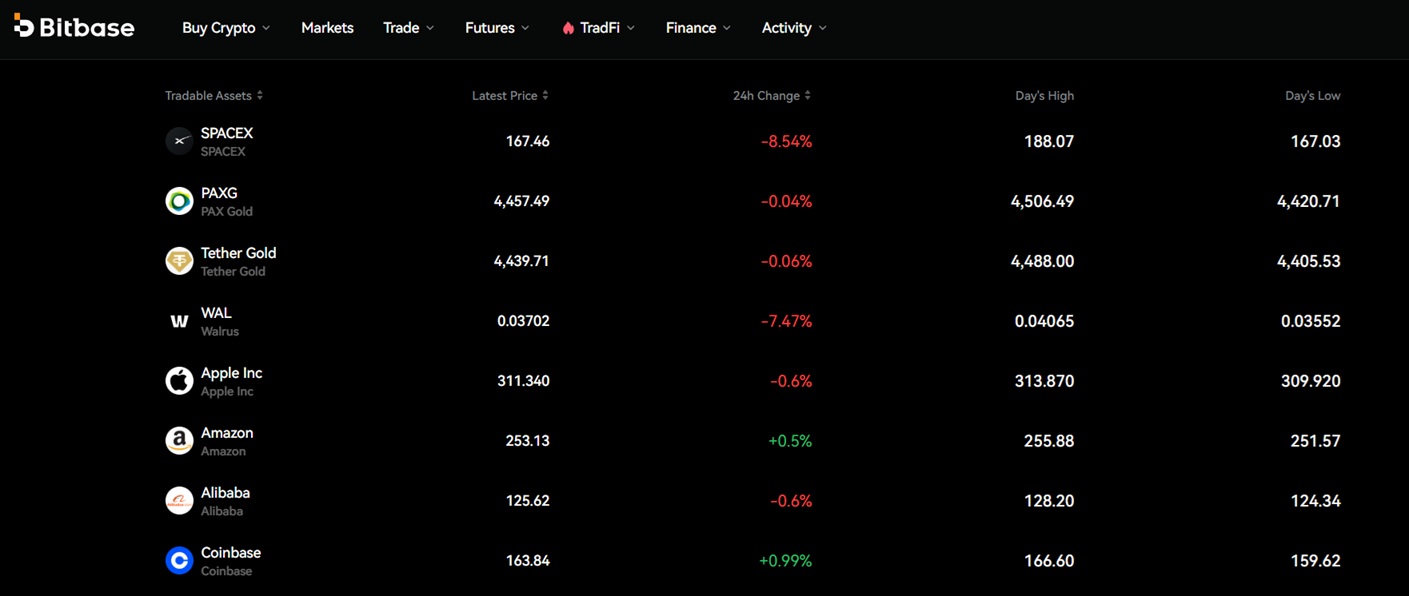
We also see new pairs added regularly, most recently: PNUTUSDT, LINEAUSDT, AZTECUSDT, NIGHTUSDT, HUMAUSDT, GMTUSDT, and RIFUSDT. Bitbase also offers TradFi instruments, from precious metals to major equities.
User funds are protected by institutional-level security measures, including hot and cold wallet separation, MPC-based multi-signature technology, multi-layer approval workflows, and real-time monitoring and interception of suspicious withdrawals.
EXCLUSIVE OFFER! Join on our link above and gain VIP7 status for 30 days, granting you exclusive fees, including 0.01% maker / 0.02% taker fees on trades over $100,000.
Quick Start Checklist
- Create a Bitbase account at bitbase.com and complete KYC verification for full access.
- Deposit cryptocurrency to your Spot account, or use the fiat on-ramp via Visa, Mastercard, Google Pay, or Apple Pay.
- Navigate to Assets → Transfer, and move funds from Spot to your USDT-M Futures sub-account.
- Open the Futures section, select USDT-M Futures, and pick a high-liquidity pair such as BTCUSDT.
- Set leverage conservatively – 2x to 5x – and place a small test order using a Limit or Market order.
- Immediately set a Take-Profit and Stop-Loss on the open position.
- Monitor the position via the Positions tab. Check the liquidation price before leaving the screen.
What You Need Before Trading Futures
Here is what you need before starting your first trade:
A Bitbase account: Register at bitbase.com. The onboarding process is easy, and there is no document-heavy setup. The platform begins as no-KYC, and identification, e,g, a government-issued ID or passport, is only required for higher withdrawal limits.
Funded Spot account: Your Spot account needs to hold funds before you can open any futures position. You can either deposit cryptocurrency directly or use the fiat on-ramp. To deposit funds into your Bitbase account, copy the given deposit address or scan the QR code. Buying cryptocurrencies such as Tether (USDT) and Bitcoin (BTC) is also an option. Bitbase does not charge platform fees, so you pay only standard network fees.
The Futures platform: Bitbase operates with isolated sub-accounts (Spot, USDT-M Futures, USDC-M Futures, Coin-M Futures), and each are ring-fenced from one another. Funds deposited to Spot purposefully do not automatically appear in a Futures sub-account, so an explicit transfer is required every time. does not trigger a trade, but correcting it takes time during a fast-moving market.
Transfer Funds to Your Futures Account
From your Spot account:
Step 1: Sign up at bitbase.com – using our link can give you 30 days of VIP7 status, with lower trading fees.
Step 2: Go to the Assets page and tap or click Transfer.
Step 3: Set the source account to Spot and the destination to your chosen futures type (USDT-M Futures for most traders starting out)
Step 4: Enter the amount you want to move and confirm. Funds will appear in the Futures sub-account immediately after confirmation, and there is no processing delay.
How to Place a Futures Order on the Bitbase Website
The Bitbase website follows the same logic as the app, but with a larger trading interface and more detailed charting tools visible alongside the order form.
Step 1: Click Futures in the top navigation menu.
Step 2: Select your futures type – USDT-M, USDC-M, or Coin-M.
Step 3: Choose a trading pair from the pair selector panel on the left or top of the trading screen.
Step 4: Set your leverage using the leverage slider or input field.
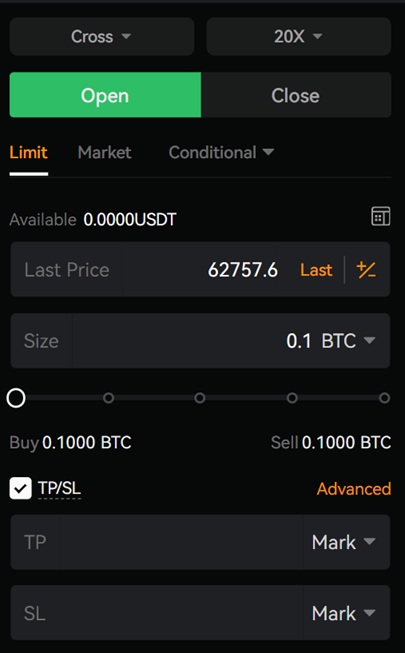
Step 5: Select your order type. Choose Limit to set a specific entry price, or Market for immediate execution at the current price. Enter the price (for Limit orders) and the position quantity.
Step 6: Click Open Long or Open Short to submit the order. The web interface gives you access to more advanced charting and technical analysis tools alongside the order entry panel, so it is more useful if you are working with price levels or want to cross-reference chart structure before committing to a position size.
How to Place a Futures Order on the Bitbase App
The Bitbase platform runs very fast, has a simple interface, and the overall process is straightforward and practical. The steps below apply to the mobile app on iOS and Android.
Step 1: Open the Bitbase app. In the bottom navigation bar, tap Futures.
Step 2: Select your futures type. For most beginners, USDT-M Futures is the appropriate starting point – P&L in USDT is easier to track than Coin-M settlement.
Step 3: Select a trading pair. BTCUSDT is the most liquid pair for USDT-M contracts and a reasonable choice for a first test trade.
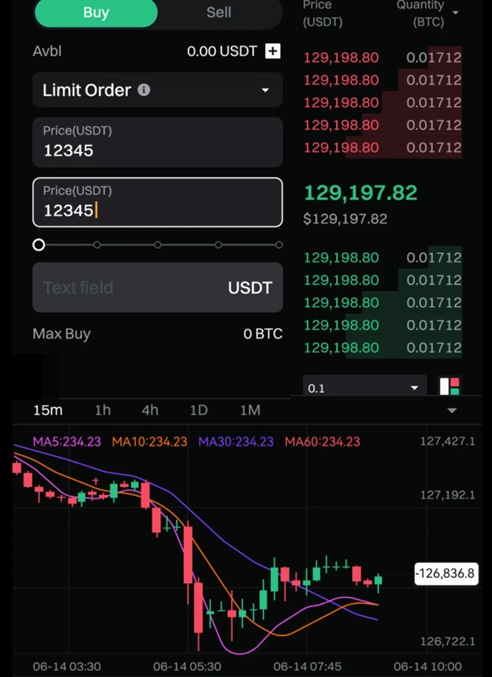
Step 4: Adjust your leverage. For a first trade, 2x–5x is a sensible starting range. Higher leverage amplifies both gains and losses and brings the liquidation price much closer to your entry.
Step 5: Choose your order type. A Limit order lets you specify the price at which you want to enter. A Market order executes immediately at the current best available price. Limit orders give you price control; market orders give you certainty of execution.
Step 6: Enter your position size.
Step 7: Tap Open Long if you expect the price to rise, or Open Short if you expect it to fall. Review the confirmation screen (check the leverage, order type, and estimated liquidation price) and confirm.
Managing Positions & Risk Tools
Once a position is open, your day is not done. You’ll need active management to determine whether a trade stays within your risk parameters.
Positions tab: Open positions are visible in the Positions tab at the bottom of the trading screen on both the app and the website. From here, you can monitor real-time P&L, margin usage, and your liquidation price. The liquidation price is the level at which your margin is exhausted and the position is forcibly closed by the exchange. So keep that number in view!
Take-Profit (TP) and Stop-Loss (SL): Both can be set or modified directly from an open position. TP automatically closes the position when the price reaches a specified profit target. SL closes it if the price moves against you to a specified level. Setting both before stepping away from the screen is standard practice.
Closing positions: Positions can be closed manually at any time through the Positions tab, or closed automatically when a TP or SL level is triggered. Partial closes (reducing position size without closing entirely) are also available.
Orders tab: Historical and pending orders are available here, useful for reviewing execution quality and tracking activity over time.
Price alerts: Enable price alerts for active pairs to receive notifications when the market reaches levels relevant to your position.
Risk Controls
Bitbase focuses on providing a sustainable, professional trading environment for individual traders and institutional users. That focus, encapsulated in their “Trust Through Every Cycle” philosophy, bleeds into the platform’s design, but risk management itself is the trader’s responsibility. Use the lowest leverage that gives you the exposure you want, and monitor the liquidation price every time you adjust a position.
Do not open new positions while an existing loss is sitting unmanaged. Built-in circuit breakers and rollback mechanisms provide protection against abnormal conditions at the infrastructure level, but they do not protect individual positions from adverse price moves. That is what TP and SL is for.
Fees, Minimums & Important Notes
Bitbase’s published standard futures rate sits at 0.02% maker and 0.06% taker, numbers in line with other mid-to-large exchanges. On the spot side, 0.1% maker/taker is the rate, also consistent with comparable exchanges.
FAQs
Do I need to transfer funds before trading futures?
What futures types are available on Bitbase?
Can I set Take-Profit and Stop-Loss orders?
What order types are supported?
What does funding rate mean?
Is futures trading on Bitbase suitable for beginners?
Is Bitbase a legitimate exchange?
About the Author